How to book your free light therapy consultation
![[object Object]](https://cdn.sanity.io/images/h29o7kl4/staging/dd68c96327aecf6b92de37043b747c350b5f72ff-1194x1194.png?w=1194&q=80&auto=format&fit=max)

Neuronic offers a 30-minute complimentary consultation session to guide you through everything you need to know about using our Neuradiant 1070 device. This consultation includes:
- Expert guidance: Meet with a dedicated Neuronic Consultant who will answer your questions and tailor a plan to maximize your experience;
- Device setup: Learn how to properly set up your Neuradiant 1070 for optimal results;
- Controller programming: Discover how to program the controller for your personalized protocols;
- Safe use: Gain valuable insights on avoiding overstimulation and ensure safe and effective light therapy sessions;
- Customization support: Get guidance on custom settings and protocols, and understand the process for obtaining a qEEG (note: the complimentary session does not include qEEG analysis).
Step-by-step guide to booking your free Neuronic consultation
1. Check your email: After purchasing your Neuradiant 1070, you will receive an email with a link to claim your complimentary consultation. Be sure to check your spam folder if you don't see it within a few minutes. If you don’t receive the email a few minutes after purchase, please reach out to our support team.
2. Click the link: Click the "Claim your free session" link in the email. We book all of our consultation sessions in a HIPPA-compliant EHR platform called Healthie.
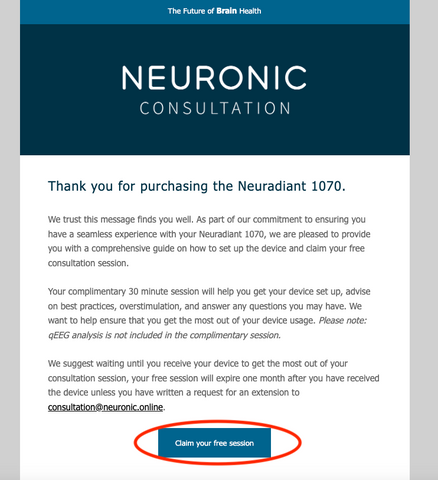
3. Click "continue": After clicking on the link you will see a screen like the one below. Please press “continue” when you are ready.
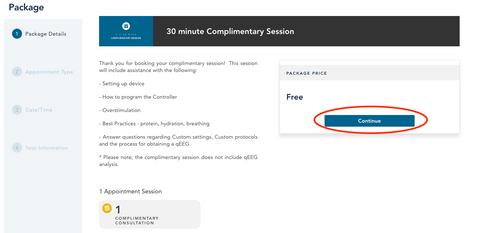
4. Schedule your session: Choose between a video call or phone call, then select a convenient date and time from the available options. The dates with available appointments will have a blue circle around them. By selecting the date, you can see the times available for that date.
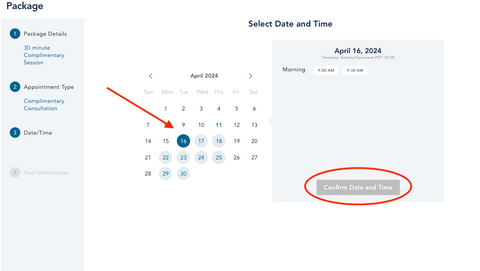
5. Create an account: After you have confirmed the date and time, you will be prompted to create an account.
6. Account confirmation: After you have input your information, you will receive a confirmation to your email address.
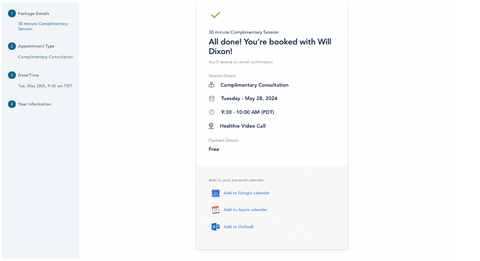
7. Completion of your account setup: You will also receive an email to complete your account setup.
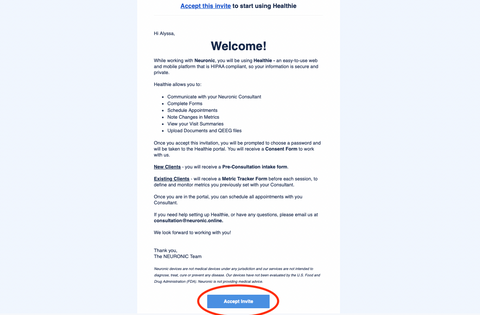
8. Create a password: By clicking on “accept invite” on the email we sent you, you will be asked to create a password.
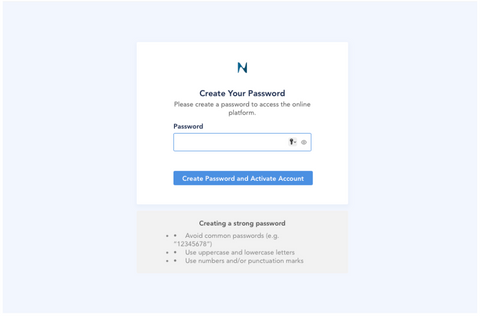
9. Complete your intake questionnaire: Once you have created a password, you will be prompted to fill out an intake questionnaire. This brief questionnaire helps your consultant personalize your session by understanding your goals and needs.
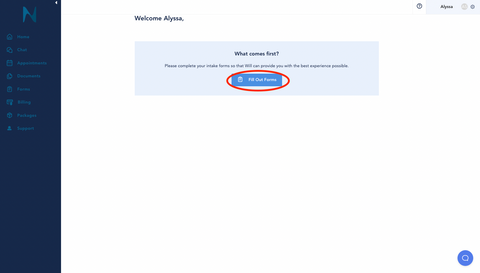
10. Sign the consent form: After this, you will be asked to read and sign the consent form.
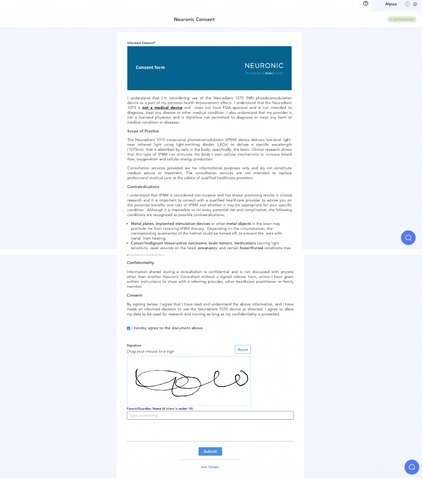
11. Fill out the pre consultation form: Next, you will be prompted to fill out the intake form.
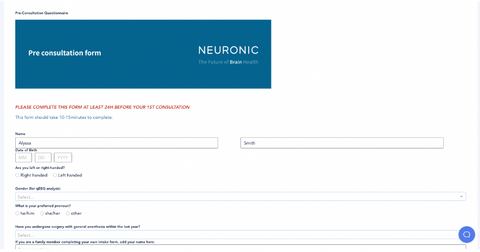
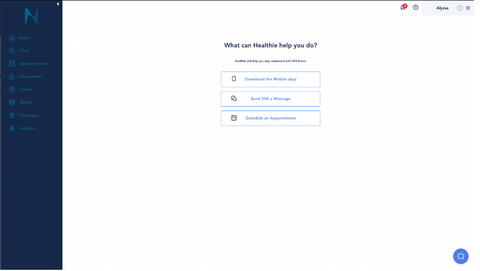
12. All done! After completing this form, your session has already been booked.
How to manage your light therapy consultation
Need to reschedule or cancel? Simply log in to your Healthie account, click "Home" on the left-side navigation bar, and then select your appointment. There, you will find the Zoom link, and the buttons “reschedule” or “cancel appointment”.
How to make sure the consultation is confirmed
You will receive confirmation emails and reminders for your upcoming consultation. If you need any more help, please contact our customer support team.

Neuronic LIGHT
$1,795
At-home near-infrared brain stimulation designed to support clarity, focus, and long-term cognitive wellness.
- 90-Day Return Policy
- Backed by Research
- Free Shipping
- One Year Warranty